CompuGrade Feature List
Based on the system architecture, use cases, and user flows, this document outlines the core feature deliverables for the CompuGrade platform.
1. Learning & Autograding Plane (Student Features)
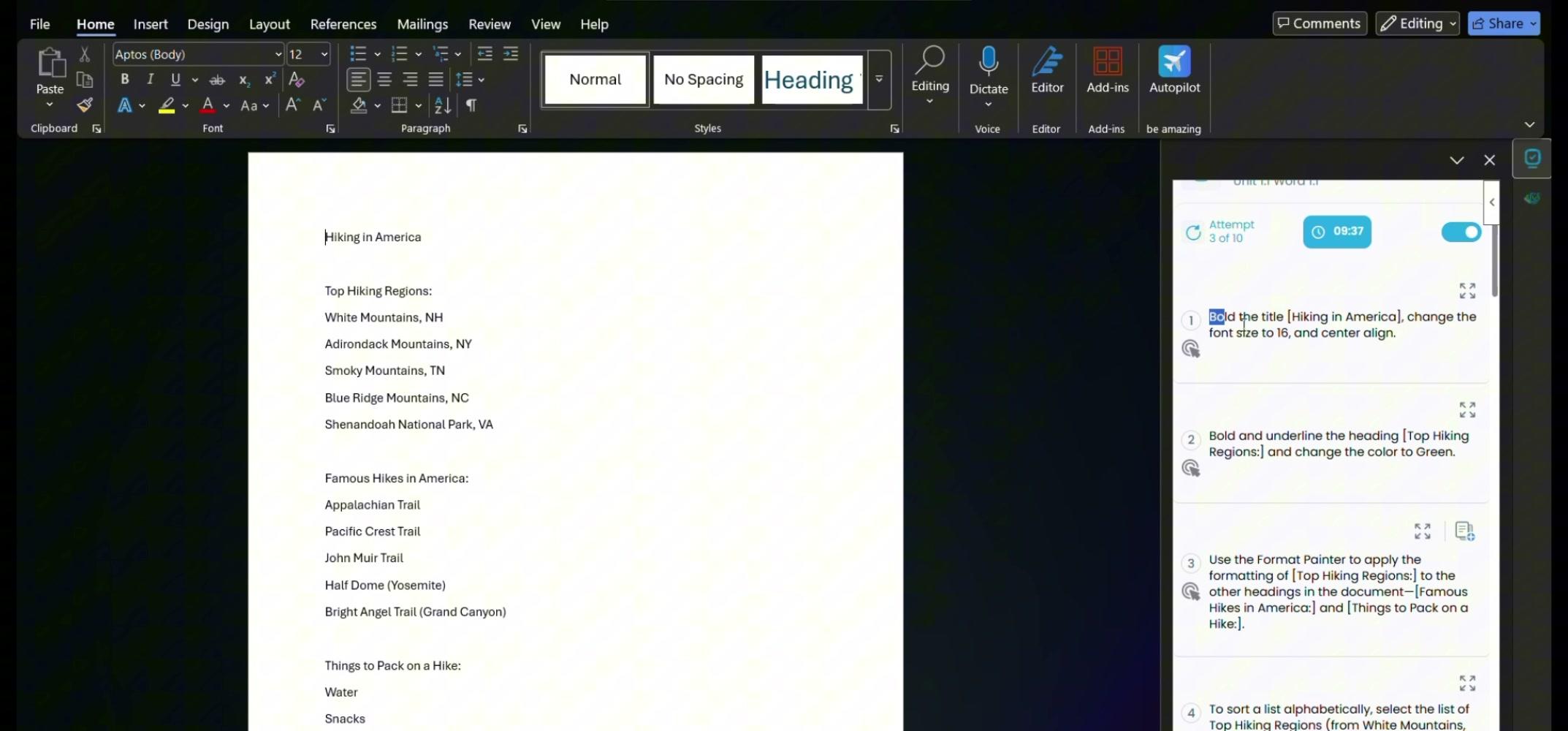
1.1 In-App Add-ins (MS Office & Google Workspace)
- Feature: Native integration within Microsoft Word, Excel, PowerPoint, and Google Docs, Sheets, Slides via taskpane/sidebar.
- Use Case: Students can complete their work in the actual application without leaving to upload files to a separate website.
- Deliverable: React-based UI (Office.js for MS, Apps Script/clasp for Google) providing authentication, course listing, and lesson instructions.
1.2 Real-Time Document Comparison & Grading
- Feature: Automated XML and COM-based document comparison between the student's work and the teacher's answer key.
- Use Case: A student clicks "Check Work" to instantly see what they did right or wrong.
- Deliverable:
.NET 8DocDiff engine and Interop service capable of structurally analyzing document properties (formatting, formulas, layout) and returning highlighted images via SSE (Server-Sent Events) for real-time feedback.
1.3 Objective Assessment Engine
- Feature: Integrated multiple-choice and true/false questions within the add-in.
- Use Case: Testing theoretical knowledge alongside practical software skills.
- Deliverable: JSON-based evaluation endpoints in the
computencybackend to instantly score objective items.
1.4 Gradebook & Lesson Sync
- Feature: Automatic weighting and scoring of assignments.
- Use Case: When a student submits a lesson, their final score is calculated based on sub-rubric weights and recorded.
- Deliverable: Gradebook database schema (
RubricStatus) and backend calculation logic.
2. Open edX Content Plane (Teacher Features)
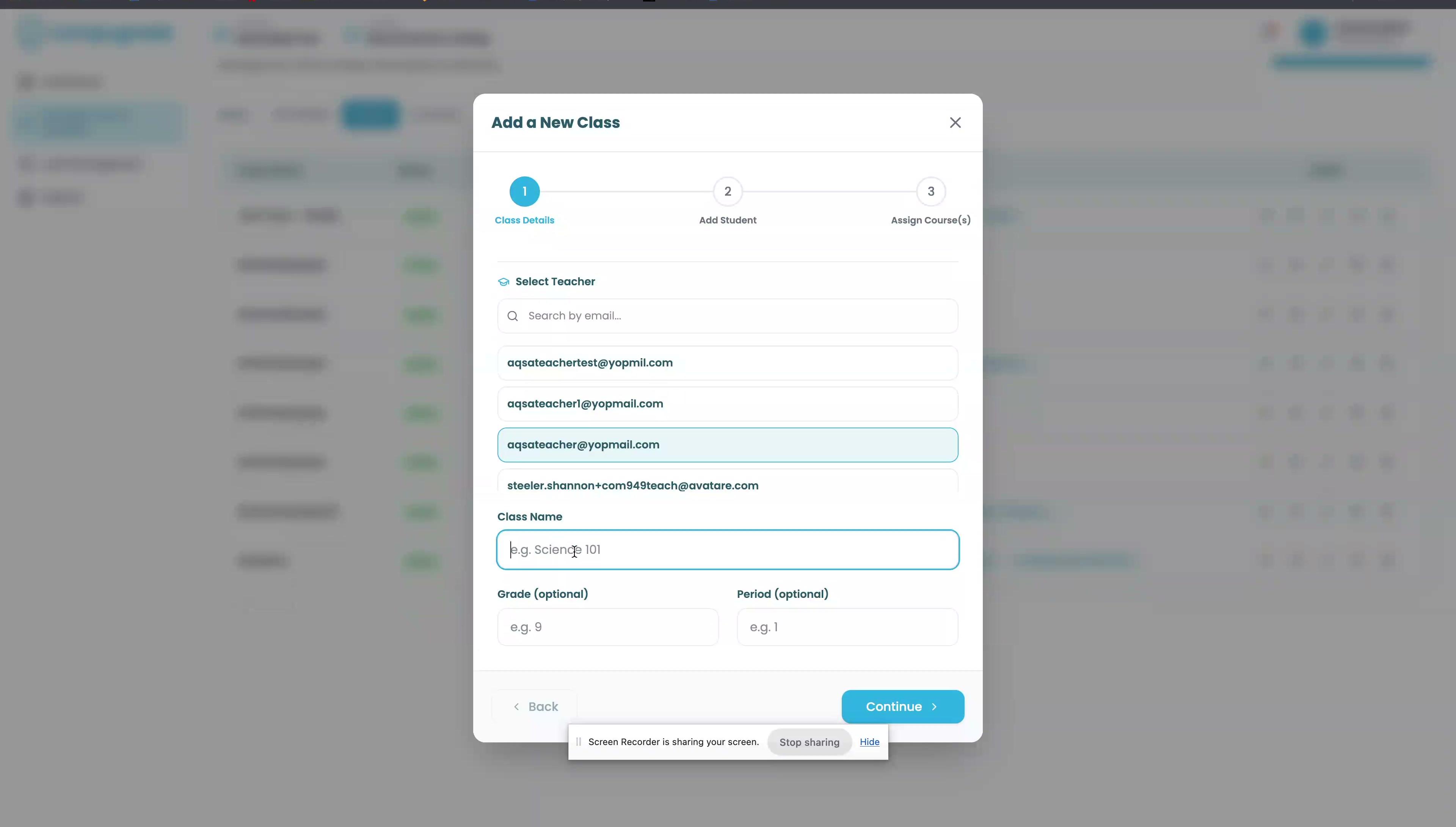
2.1 Course Authoring MFE
- Feature: Standardized course creation using Open edX Studio.
- Use Case: Teachers and instructional designers can build curriculum, units, and sub-sections.
- Deliverable: Deployed instance of
frontend-app-authoring-masterconfigured for the CompuGrade environment.
2.2 Automated Lesson Generation (Writer Engine)
- Feature: Generating structured lessons directly from uploaded answer keys or screen recordings.
- Use Case: A teacher uploads a completed Excel sheet, and the system automatically generates step-by-step instructions and rubric items for it.
- Deliverable: Lesson parsing pipeline (
create_base_lesson_from_scratch) and AI/NLP integration (via OpenRouter/Writer Engine) to derive instructions.
2.3 Video-to-Tutorial AI Extraction
- Feature: Take real images out of uploaded screen recordings and enhance the screen captures to build visual guides.
- Use Case: A teacher records a quick video of themselves completing a task. The Writer Engine automatically extracts keyframes, enhances them (cropping, highlighting, adding drop shadows), and generates a visual step-by-step tutorial.
- Deliverable: Video processing pipeline using computer vision to detect UI changes, combined with a generative AI layer to enhance and annotate the extracted screen captures.
2.4 Teacher Analytics & Monitoring
- Feature: Viewing class progress and overriding grades.
- Use Case: A teacher wants to see which students are struggling with a specific Word formatting skill.
- Deliverable: Reports endpoints (
/api/grading/grade_report) and an in-app Autograder Dashboard.
3. District Ops Plane (Admin Features)
3.1 Super/District/School Admin Dashboard
- Feature: A centralized console for managing the business and operational side of the platform.
- Use Case: A district IT administrator needs to onboard 5 new schools and allocate licenses to them.
- Deliverable: React SPA (
compugrade-masterdashboard-frontend) with Role-Based Access Control (RBAC).
3.2 Seat & License Management
- Feature: Tracking and deducting purchased seats when students are enrolled.
- Use Case: Ensuring districts do not exceed their purchased quota.
- Deliverable: Seat consumption webhooks firing between the Open edX CMS plugin and the Dashboard backend (
POST /api/districts/openedx/seats/consume).
3.3 Seamless Classroom Provisioning
- Feature: One-click creation of Open edX classrooms from the admin dashboard.
- Use Case: Administrators can set up the learning environment without needing to log into the complex Open edX Studio backend.
- Deliverable: Server-to-server JWT orchestration between the Dashboard BE and the CMS Plugin (
tutor-myplugin).
3.4 Identity Federation & SSO
- Feature: Supporting external identity providers.
- Use Case: Students can log in using Clever, ClassLink, or Edlink without needing separate CompuGrade passwords.
- Deliverable: SSO endpoints in the
auto-routerand Dashboard backend for OAuth token exchange.